How to Connect your cTrader Account to PF1
This guide walks you through the step-by-step process of linking your cTrader trading account to PF1 (Profit First One). You'll learn how to establish the connection using API credentials, configure the necessary settings, and verify that your account data is syncing properly. Whether you're setting up for the first time or troubleshooting connection issues, this tutorial covers the essential steps to get your cTrader account integrated with PF1's trading management platform.
The process typically takes 3-7 minutes and requires your cTrader account credentials and API access permissions.
Here's a clearer, step-by-step guide for connecting your cTrader account to PF1:
Step-by-Step Connection Process
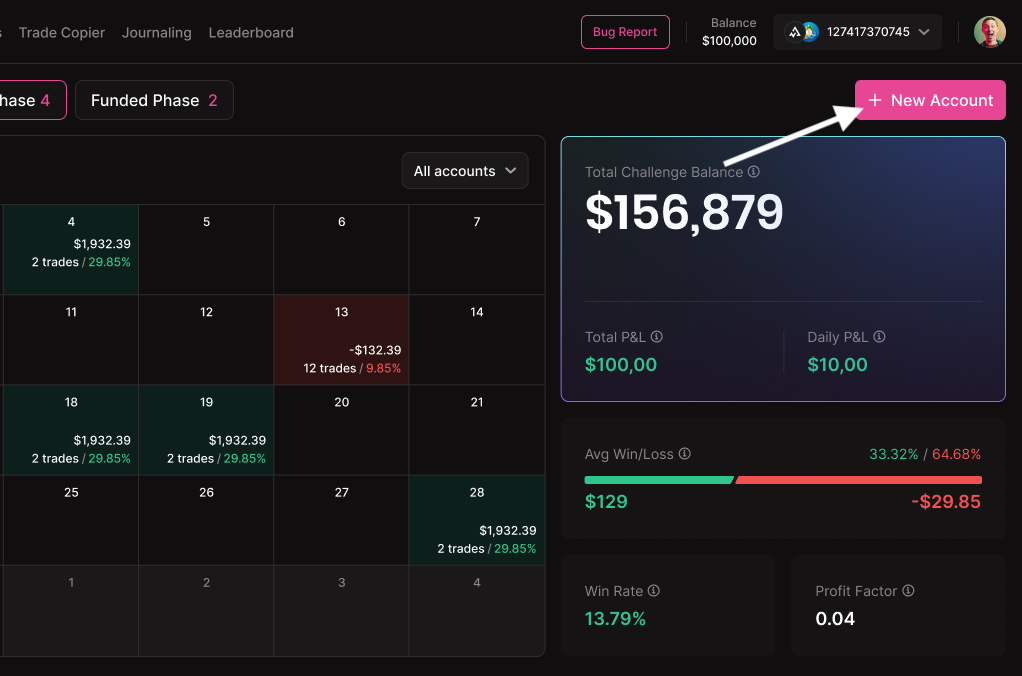
1. Create a New Account in PF1
Log into your PF1 dashboard and click the "New Account" button
2. Select Your Account Type and Provider
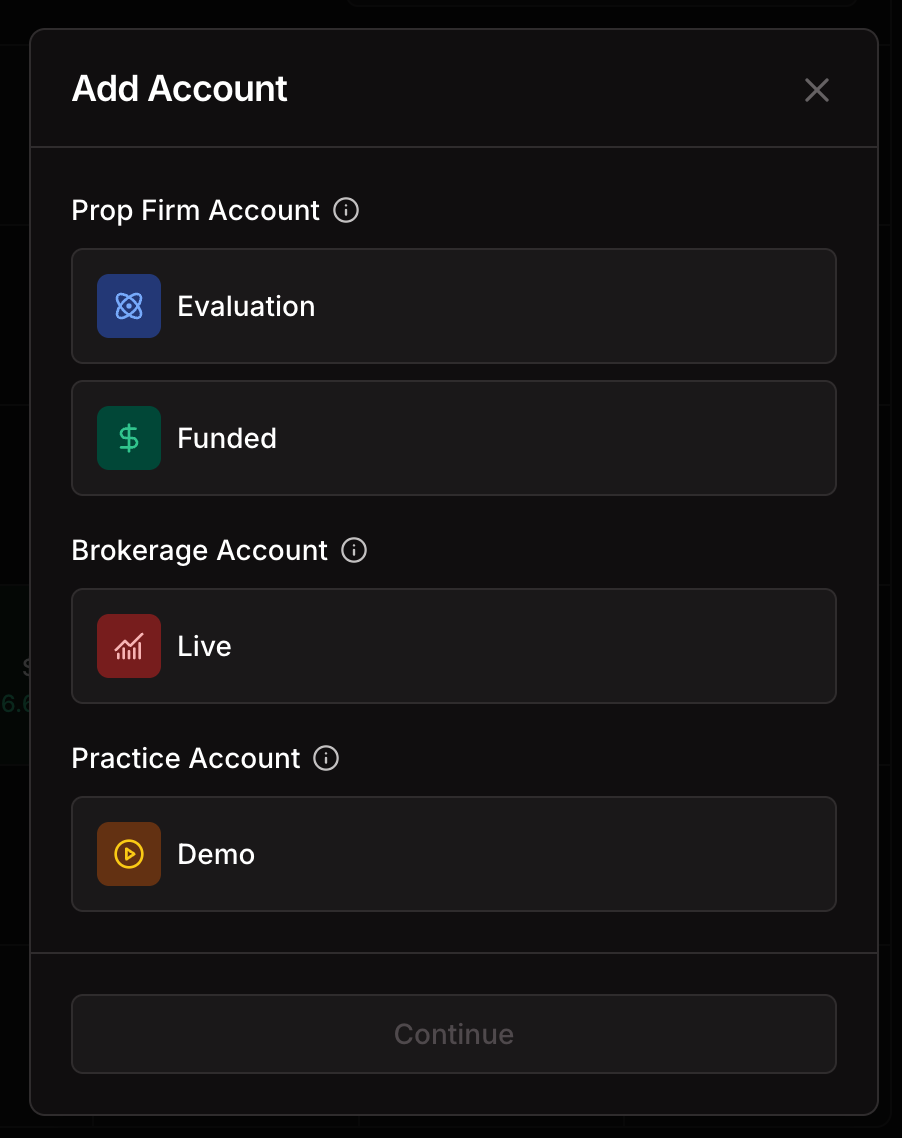
Choose your account type: Evaluation, Funded, Live, or Demo Broker
Select your specific prop firm or broker from the dropdown menu
Configure the evaluation and risk management criteria that match your prop account requirements
3. Fill in Your Account Details
Account Name: Enter any name that helps you identify this account
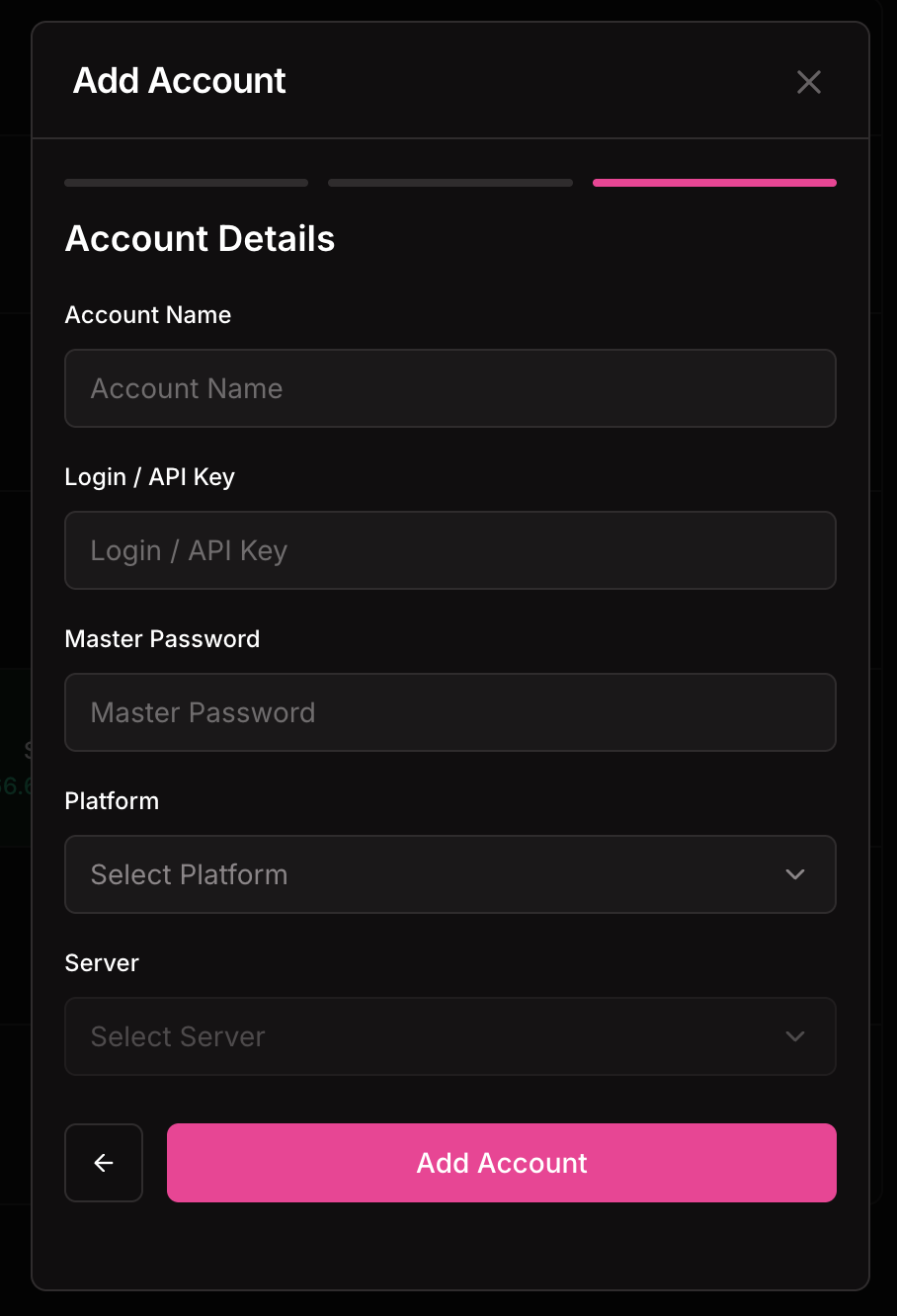
Login/API: Use your cTrader challenge or trading account number
Password/Secret Key: Create a new API password in cTrader:
Go to cTrader Settings → FIX API → Change Password
Generate a new API password
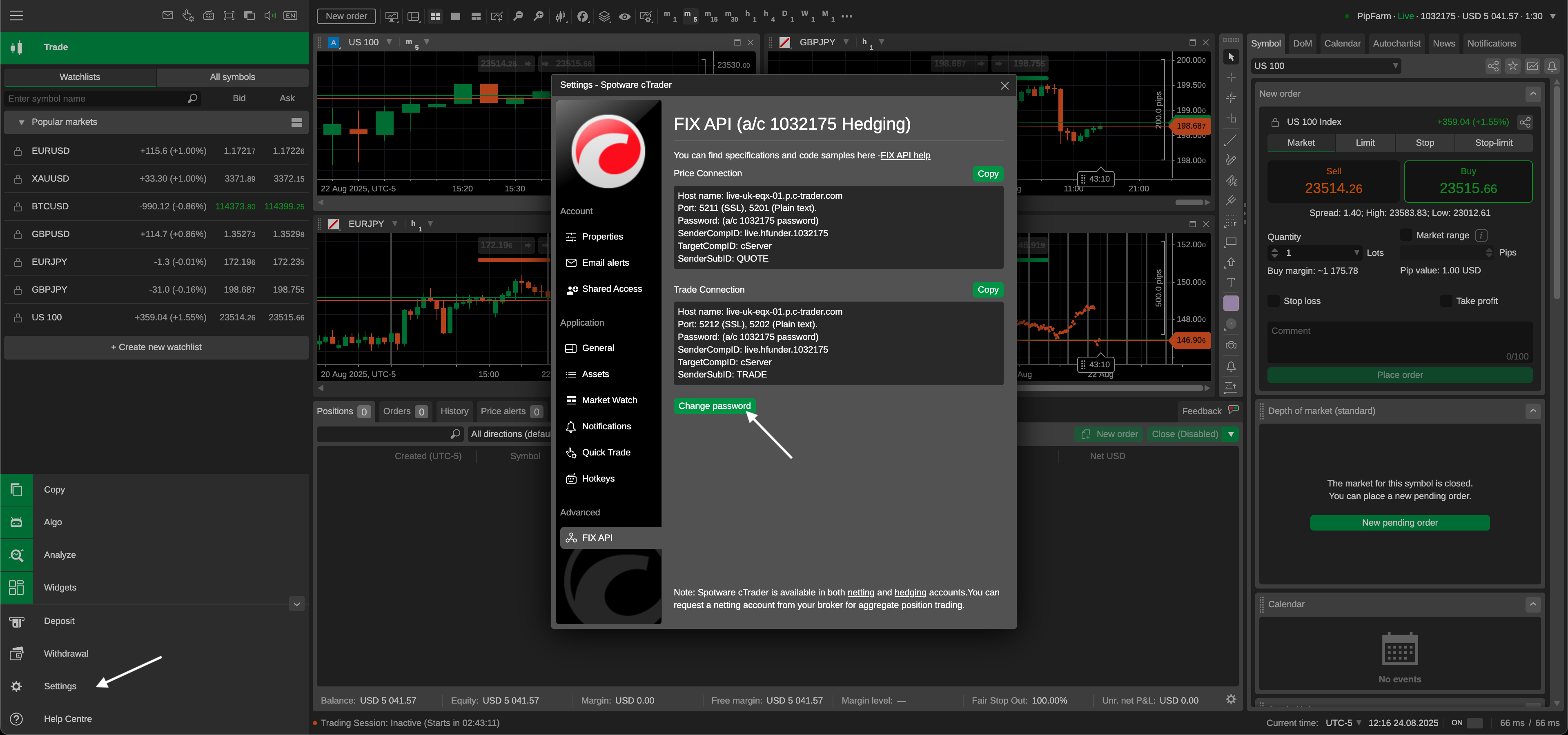
Copy this password and paste it into PF1 as your Secret Key
Platform: Select "cTrader" from the dropdown
Server: Choose the server that matches your prop firm or broker
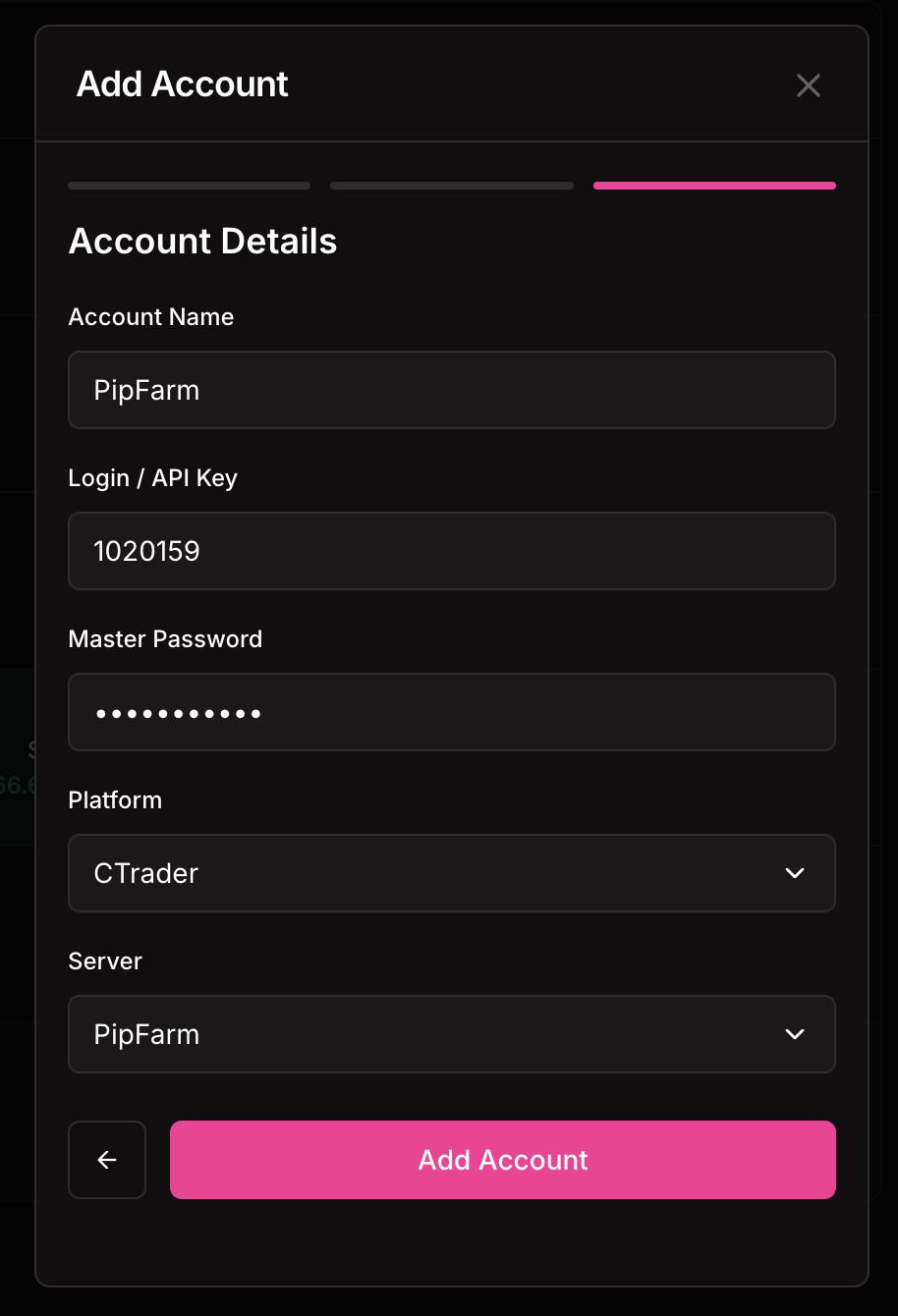
4. Authorize the Connection
You'll be redirected to the cTrader/PF1 authorization page
Log in with your cTrader credentials if not already signed in
Select the trading account you want to connect
Click "Allow Access" to grant permission
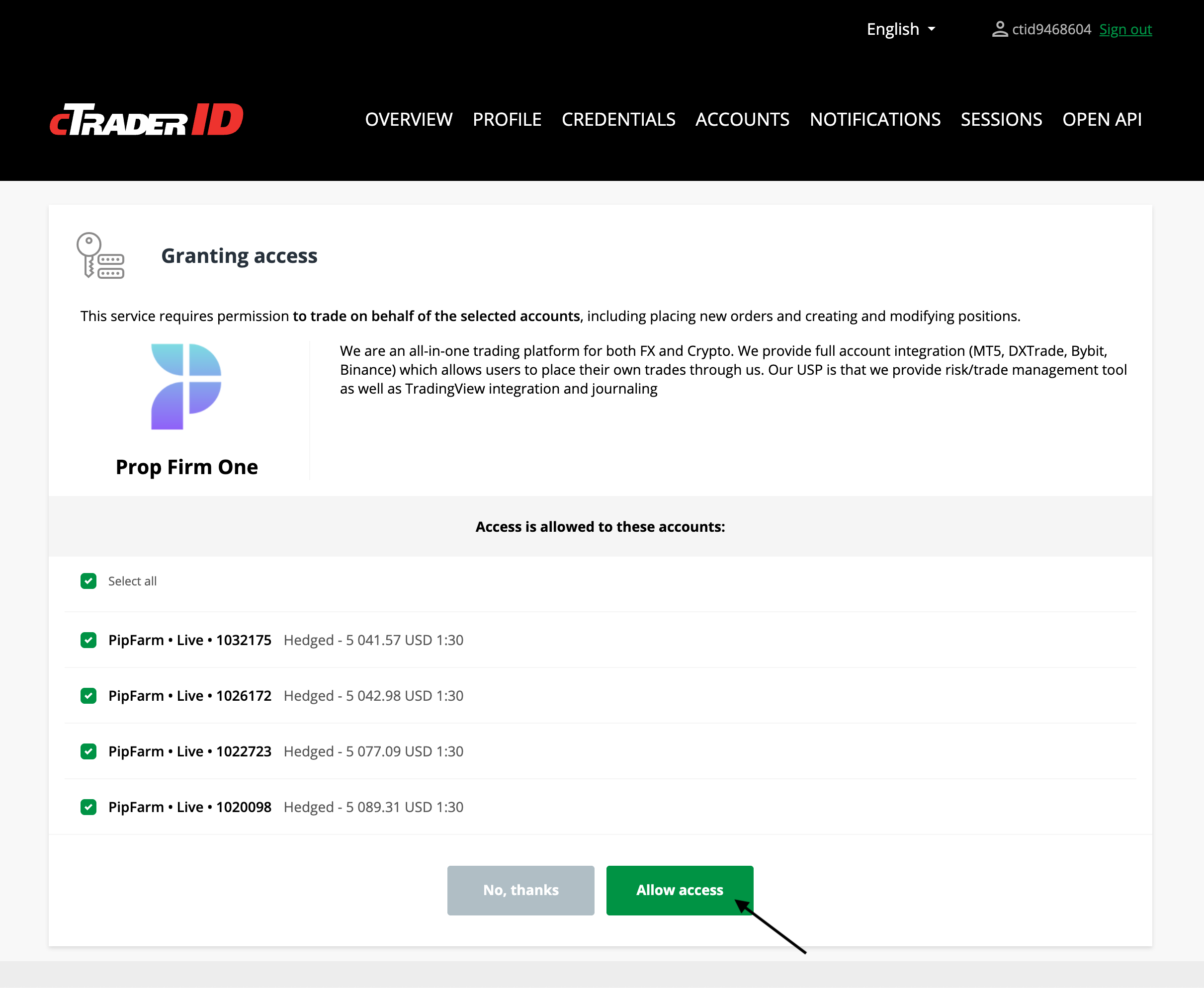
5. Complete the Setup
Click "Sync Accounts" and then "Submit"
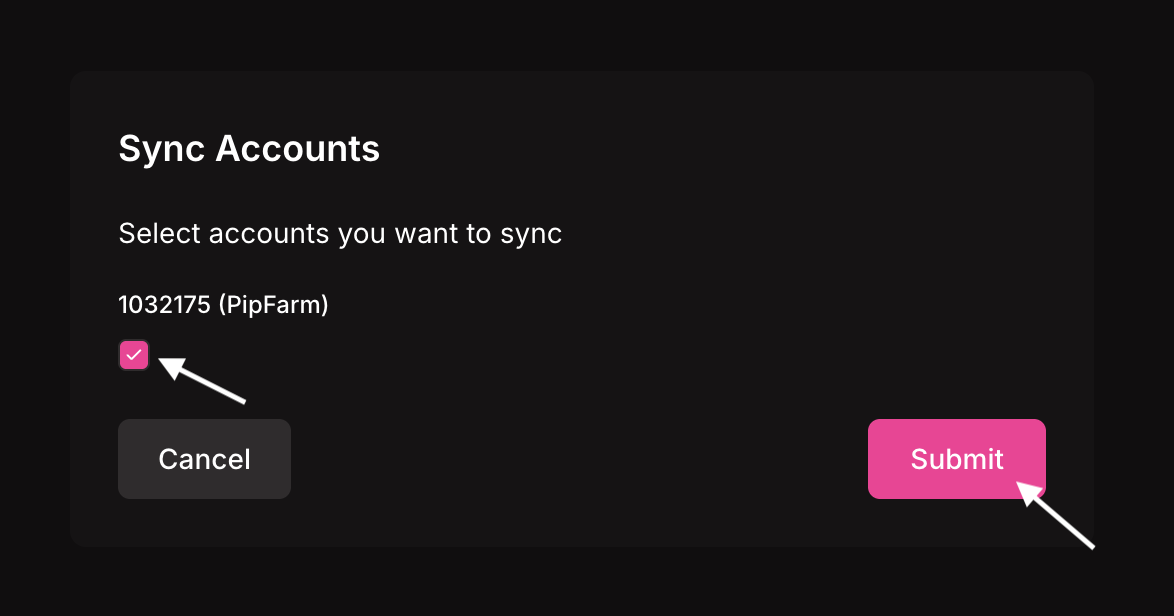
Wait for the "Success" confirmation message
6. Verify Your Connection
Refresh your PF1 dashboard
Your connected account should now appear in the account list in the top right corner
The entire process typically takes 3-7 minutes once you have your cTrader API credentials ready.
Was this helpful?
Still need help? Share an idea