Understanding TP/SL Behavior for Pending Orders in PF1
Take Profit (TP) and Stop Loss (SL) orders attached to pending orders behave differently depending on your trading platform. PF1 handles these TP/SL orders based on whether your accounts use MT5 or cTrader platforms.
How it Works:
MT5 Platform
When you place a pending order with TP/SL levels on PF1:
TP/SL levels are sent directly to MT5 along with the pending order.
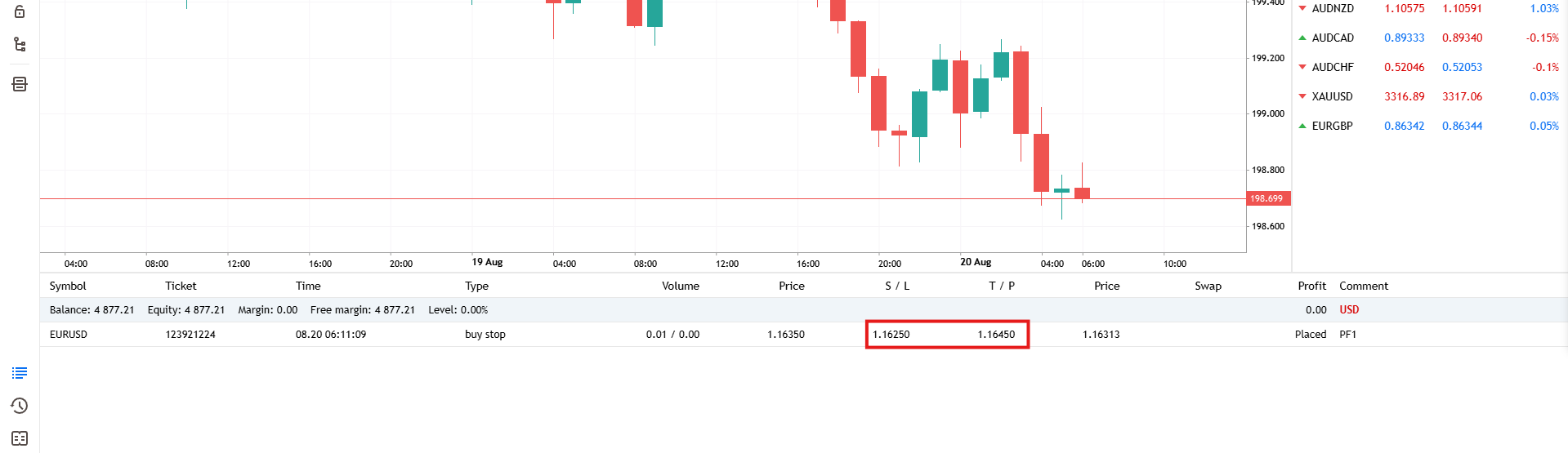
TP/SL levels display immediately in both your MT5 terminal and the PF1 platform

This applies to both master and all connected slave accounts
cTrader Platform
When you place a pending order with TP/SL levels on PF1:
TP/SL levels display in the PF1 platform immediately when the pending order is placed and are stored in our system but are not immediately visible in the cTrader platform

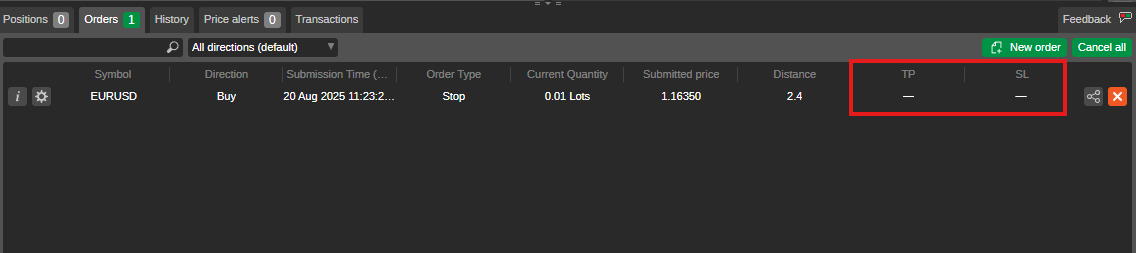
TP/SL levels are only sent to cTrader after the pending order is triggered and becomes a market position.
Note: PF1 communicates your Stop Loss (SL) and Take Profit (TP) levels to cTrader by creating stop and limit orders that serve as placeholders. This ensures your SL and TP are active and functional once the trade goes live on cTrader.
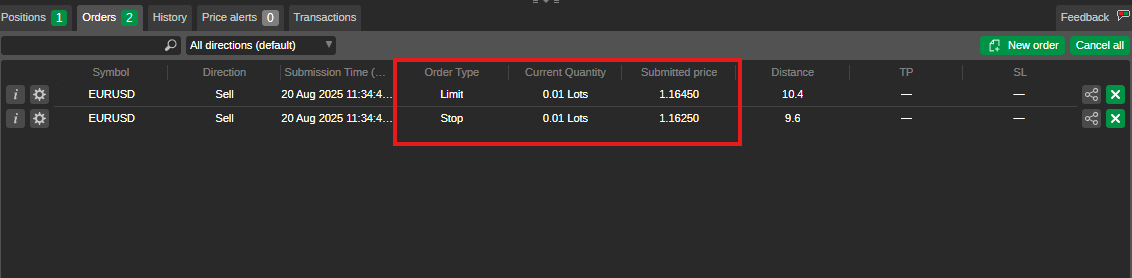
This behavior applies to all cTrader accounts in your copy trading setup, including the master account.
Was this helpful?
Still need help? Share an idea